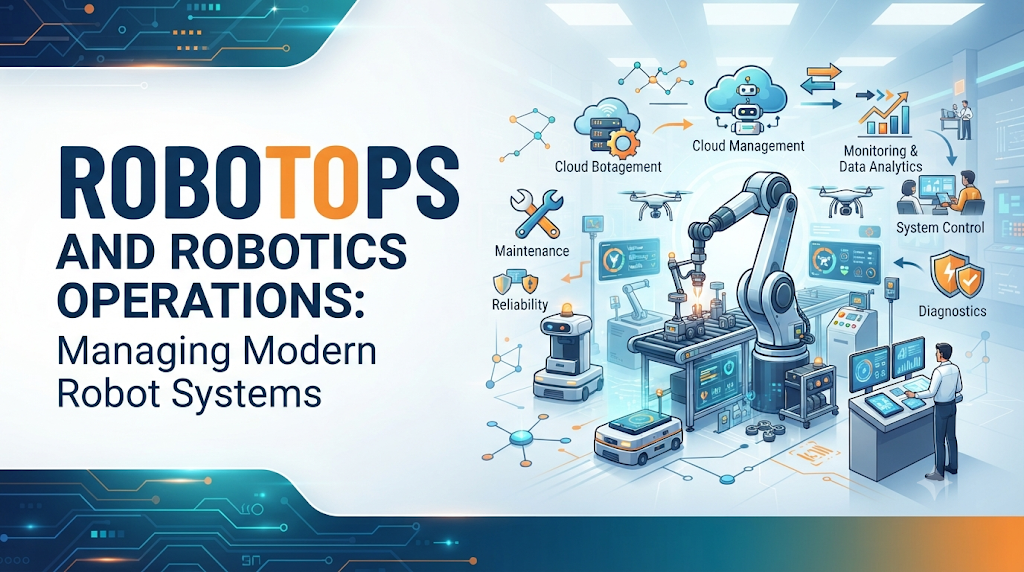
Introduction
A robot can work well on its own. The real challenge starts when many robots must work together.
One robot may need sensors, software, networking, navigation, and regular maintenance. A large fleet needs much more. Teams must track robot health, manage software versions, monitor battery levels, handle failures, update systems, and keep operations safe.
This is where RobotOps becomes useful.
RobotOps applies software engineering and operations practices to robotic systems. It brings together robotics, automation, monitoring, reliability, and lifecycle management.
The goal is simple: make robots easier to deploy, operate, monitor, maintain, and scale.
This article explains RobotOps, Robotics Operations, Robot Fleet Management, Industrial Robotics, Robotics Software, Robot Simulation, Autonomous Mobile Robots, Robotics Automation, Robotics Operations Centers, and ROS 2 in simple language.
What Is RobotOps?
RobotOps means managing robotic systems with modern software and operations practices.
A robot is not only a physical machine. A modern robotic system can include:
- Hardware
- Sensors
- Actuators
- Controllers
- Embedded software
- Operating systems
- Middleware
- Navigation systems
- Perception systems
- Networks
- Edge systems
- Cloud systems
- Monitoring tools
- Data systems
- Security controls
All these parts must work together.
For example, an autonomous mobile robot may need to understand its location, detect obstacles, plan a route, communicate with other systems, and report its status.
If one part fails, the robot may stop working correctly.
RobotOps helps teams manage these systems as an operational environment instead of treating each robot as a separate hardware product.
Why Robotics Operations Matter
Building a robot is only one part of the work.
The robot must also work reliably after deployment. Teams need to know whether the robot is connected, whether its battery is healthy, whether its software is working, and whether it can complete its assigned tasks.
Robotics Operations covers activities such as:
- Robot deployment
- Configuration
- Monitoring
- Remote operations
- Maintenance
- Software updates
- Incident management
- Reliability
- Security
- Lifecycle management
This becomes more important as the number of robots increases.
Managing one robot manually may be possible. Managing hundreds of robots in different locations needs a proper operational process.
Robot Fleet Management
Robot Fleet Management focuses on operating multiple robots from a common system.
A fleet management process may track:
- Robot health
- Location
- Battery status
- Network connectivity
- Software versions
- Telemetry
- Current tasks
- Maintenance needs
- Incidents
- Remote operations
Consider a warehouse with many autonomous mobile robots.
One robot may have a low battery. Another may lose network connectivity. A third robot may have a navigation problem. At the same time, other robots may continue moving materials.
Without centralized visibility, the operations team may struggle to understand what is happening.
Fleet management gives the team a clearer view of the whole system.
One Robot vs. Many Robots
The difference becomes clear when a fleet grows.
With one robot, a technician may inspect the system directly.
With many robots, manual inspection takes more time. A team needs monitoring, alerts, remote access, software version tracking, maintenance planning, and incident handling.
This is one of the main reasons RobotOps becomes important at scale.
Industrial Robotics and Operations
Industrial Robotics is used in areas such as manufacturing, inspection, packaging, welding, assembly, and material handling.
An industrial robot may work with:
- Robotic arms
- Sensors
- Controllers
- Production systems
- Safety systems
- Manufacturing equipment
The robot must fit into the larger production process.
A software problem can affect production. A sensor problem can affect movement. Poor maintenance can increase downtime. Network problems can affect communication.
For this reason, industrial robotics needs more than mechanical reliability.
Teams also need monitoring, software management, maintenance processes, integration planning, and safety controls.
Robotics Software
Robotics Software controls how robotic systems understand and interact with their environment.
Important areas include:
Middleware
Middleware helps different parts of a robotic system communicate.
It can connect sensors, controllers, navigation systems, and other software components.
Perception
Perception helps a robot understand information from sensors.
For example, a robot may use sensor data to detect objects or understand its surroundings.
Navigation
Navigation helps a robot decide where it should move and how it can reach a destination.
Planning
Planning helps the robot choose actions or paths based on its task and environment.
Control
Control systems help the robot perform physical actions in a controlled way.
APIs and Communication
Robots often need to communicate with other software systems. APIs and communication mechanisms help connect robotic applications with external systems.
Good robotics software also needs proper testing, monitoring, version management, and maintenance.
The Role of ROS 2
ROS 2 is used for building distributed robotics applications.
It provides communication concepts that allow different parts of a robotic system to work together.
Some important ROS 2 concepts include:
- Nodes
- Topics
- Services
- Actions
- Communication
- Middleware
A node can perform a specific task within a robotics application.
Topics support communication between components.
Services can be used when one component needs to request an operation from another component.
Actions are useful for longer-running tasks where progress and results matter.
These concepts help developers build robotics applications from smaller software components instead of putting everything into one large program.
For RobotOps, understanding how these components communicate is useful when monitoring, troubleshooting, and operating robotic systems.
Robot Simulation
Testing every robotics change directly on physical hardware can be expensive and risky.
Robot Simulation provides a virtual environment where developers can test robotic behavior before using a physical robot.
Simulation can help with:
- Robot models
- Navigation testing
- Sensor testing
- Scenario testing
- Debugging
- Validation
- Software testing
For example, a developer can test how a robot behaves when an obstacle appears in its path.
Simulation also helps teams test different situations that may be difficult to reproduce with physical equipment.
Why Simulation Is Not Enough
Simulation has limits.
A simulated environment may not perfectly represent the physical world. Sensors may behave differently. Network conditions may change. Mechanical issues may appear only on real hardware.
Because of this, physical testing is still important.
A useful approach is to combine simulation with controlled physical testing.
Autonomous Mobile Robots
Autonomous Mobile Robots, or AMRs, can move through an environment with limited direct human control.
They are useful in areas such as warehouses and material movement.
An AMR may need to handle:
- Mapping
- Localization
- Navigation
- Sensors
- Obstacle detection
- Path planning
- Task assignment
- Fleet coordination
Imagine an AMR moving through a warehouse.
It needs to know where it is. It must detect obstacles. It needs to choose a suitable path. It may also need to communicate with a fleet system.
If the network connection fails or the robot cannot determine its position, the system needs a way to detect and handle the problem.
This is where operational monitoring becomes important.
Robotics Automation
Robotics Automation combines robotic systems with automated workflows.
It can support activities in:
- Manufacturing
- Warehouses
- Logistics
- Inspection
- Healthcare
- Material handling
- Industrial workflows
Automation can reduce repetitive manual work. But automation does not remove the need for people.
Robots still need monitoring, maintenance, software updates, safety controls, and human intervention when unexpected conditions occur.
A reliable automation system should define what happens when normal operation fails.
Robotics Operations Center
A Robotics Operations Center provides centralized visibility into robotic systems.
Instead of checking each robot separately, an operations team can use a central view to understand the condition of the fleet.
A Robotics Operations Center may focus on:
- Fleet visibility
- Robot health
- Telemetry
- Alerts
- Deployments
- Incidents
- Software versions
- Performance
- Remote operations
- Maintenance
For a large fleet, centralized visibility can make troubleshooting easier.
The operations team can identify which robots are affected, examine available information, investigate the problem, and take suitable action.
Robot Lifecycle Management
RobotOps covers more than deployment.
A practical robot lifecycle can look like this:
Design → Simulate → Develop → Test → Deploy → Monitor → Operate → Maintain → Update → Scale → Retire
Each stage has different concerns.
During design, teams think about system requirements.
During simulation and development, they test software and robot behavior.
During deployment, configuration and connectivity become important.
During operation, monitoring and incident management become central.
During maintenance, teams handle hardware and software issues.
During updates, testing and rollback planning help reduce operational risk.
When the system grows, fleet management and standard processes become more important.
This lifecycle view helps teams avoid treating deployment as the end of the project.
Common RobotOps Failure Situations
Robotic systems can fail in many ways.
Network Failure
A robot may lose communication with another system.
The team needs to detect the connection problem and determine whether the robot can continue safely.
Sensor Failure
A faulty sensor can affect perception or navigation.
Monitoring can help identify unusual sensor behavior.
Navigation Failure
A robot may fail to find a suitable path or become stuck.
The team may need to investigate the environment, navigation system, or sensor data.
Software Crash
A software component may stop unexpectedly.
The recovery process may involve restarting the component, checking logs, and identifying the underlying cause.
Battery Problems
A low or unhealthy battery can affect robot availability.
Fleet monitoring can help teams identify robots that need charging or maintenance.
Failed Software Update
An update may not work as expected.
This is why updates should be tested before wider deployment, with a clear recovery or rollback plan.
Important RobotOps Trade-Offs
There is no single approach that works for every robotic system.
Cloud vs. Edge
Cloud systems can provide centralized processing and management.
Edge systems can reduce dependence on remote connectivity and support local processing.
The right choice depends on the system’s needs.
Simulation vs. Physical Testing
Simulation can make testing easier and safer.
Physical testing provides information about real hardware and real environments.
Both have a role.
Centralized vs. Distributed Management
Centralized management provides a common view of the fleet.
Distributed systems may provide more local control.
The choice depends on system architecture and operational needs.
Automation vs. Human Intervention
Automation can handle repeatable tasks quickly.
People are still important when unusual or safety-sensitive situations require judgment.
Security and Safety in Robotics Operations
Robotic systems can interact with physical environments, so security and safety need careful attention.
Important areas include:
- Authentication
- Access control
- Secure communication
- Device identity
- Network security
- Software updates
- Operational access
- Safety controls
- Human intervention
For example, not every user should have unrestricted access to robot controls.
Software updates also need proper testing. A software change can affect robot behavior, so operational teams should understand what is being changed before deploying it.
Safety should remain part of the operating process, not something added only after deployment.
Common RobotOps Mistakes
Several mistakes can create operational problems.
Treating Robots Only as Hardware
A robot depends on software, networks, data, and other systems. Ignoring these parts makes troubleshooting harder.
Poor Monitoring
If teams cannot see robot health and system status, they may discover problems only after operations are affected.
Ignoring Software Versions
Different robots running different software versions can make troubleshooting and maintenance more difficult.
Updating Without Proper Testing
A software update can introduce unexpected problems. Testing should happen before broad deployment.
No Rollback Plan
When an update fails, teams need a safe way to return to a working version.
Testing Only Successful Scenarios
Robots also need testing for failures, blocked paths, network problems, sensor issues, and other unexpected conditions.
Depending Completely on Simulation
Simulation is useful, but physical systems can behave differently.
Scaling Without Operations Processes
Adding more robots without improving monitoring, maintenance, incident handling, and fleet management can create operational complexity.
A Practical RobotOps Learning Path
People entering this field can build knowledge step by step.
1. Learn Robotics Fundamentals
Understand sensors, actuators, controllers, movement, and basic robotic systems.
2. Build Software Skills
Learn programming, operating systems, networking, APIs, and basic software engineering.
3. Understand Robotics Middleware
Learn how different robotics components communicate.
4. Learn ROS 2
Study nodes, topics, services, actions, and communication patterns.
5. Practice Robot Simulation
Use virtual environments to understand navigation, sensors, testing, and debugging.
6. Learn Robot Deployment
Understand configuration, networking, software installation, and system setup.
7. Learn Monitoring and Observability
Learn how to collect telemetry and identify system problems.
8. Study Fleet Management
Understand robot health, location, battery status, software versions, and remote operations.
9. Learn Automation
Connect robots with repeatable workflows and operational processes.
10. Understand Reliability and Incidents
Learn how to detect failures, investigate causes, recover systems, and prevent repeated problems.
11. Build Practical Projects
Small robotics projects can help connect theory with real system behavior.
12. Understand Production Operations
Finally, learn how robotic systems are maintained and operated over their full lifecycle.
How RobotsOps.com Supports Robotics Learning
RobotsOps.com is focused on the technical and educational side of RobotOps and Robotics Operations.
Its subject areas include:
- RobotOps
- Robotics Operations
- Robot Fleet Management
- Industrial Robotics
- Robotics Software
- Robot Simulation
- Autonomous Mobile Robots
- Robotics Automation
- Robotics Operations Center
- ROS 2
- Fleet infrastructure
- Workflow optimization
The platform can be useful for readers who want to understand how robotics development connects with real operational work.
The key idea is that robotics does not stop when a robot is built. The system must also be deployed, monitored, maintained, updated, and operated.
Frequently Asked Questions
What is RobotOps?
RobotOps is the practice of applying software engineering, operations, automation, monitoring, and lifecycle management ideas to robotic systems.
What is Robotics Operations?
Robotics Operations covers the daily work needed to deploy, monitor, maintain, update, secure, and operate robotic systems.
What is Robot Fleet Management?
Robot Fleet Management is the process of managing multiple robots through common systems for monitoring, health tracking, software management, remote operations, maintenance, and incident handling.
Why is robot observability important?
Observability helps teams understand what is happening inside a robotic system. Telemetry, alerts, and system information can help identify problems and support troubleshooting.
What is ROS 2?
ROS 2 is a robotics framework that supports distributed applications using concepts such as nodes, topics, services, actions, and middleware.
Why is Robot Simulation useful?
Simulation allows teams to test robot behavior in virtual environments. It can help with navigation, sensor testing, debugging, and scenario testing before physical deployment.
What are Autonomous Mobile Robots?
Autonomous Mobile Robots are robots that can move through an environment with limited direct human control. They can be used for activities such as warehouse operations and material movement.
What is a Robotics Operations Center?
A Robotics Operations Center is a centralized approach to managing and observing robotic systems. It can provide visibility into robot health, telemetry, alerts, deployments, incidents, and maintenance.
How is RobotOps different from DevOps?
DevOps focuses mainly on software development and IT operations. RobotOps applies similar operational ideas to robotic systems, where software works together with physical hardware, sensors, networks, and real-world environments.
Conclusion
RobotOps connects robotics development with the work required to keep robotic systems running.
A modern robot depends on more than hardware. It may rely on sensors, software, middleware, networks, data, monitoring, and security controls. As the number of robots grows, managing these systems becomes more complex.
Robot Fleet Management, Robotics Software, Robot Simulation, Autonomous Mobile Robots, Robotics Automation, Robotics Operations Centers, and ROS 2 all play useful roles in this environment.
The most important idea is to think about the complete robot lifecycle.
A robotic system needs to be designed, tested, deployed, monitored, maintained, updated, and eventually retired.
When teams treat robotics as both an engineering and an operations problem, they can build a clearer process for handling failures, software changes, fleet growth, maintenance, reliability, and safety.
That is the practical foundation of RobotOps.
